ACH Payments Transaction Types
Collect! ships with several pre-set Transaction types
for use with Billing Tree.
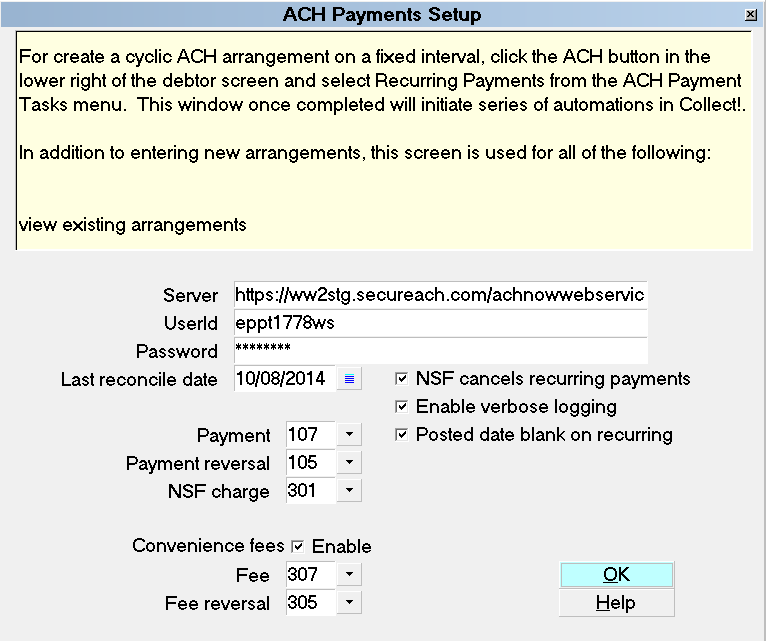
The ACH Payments Setup screen is where you predefine
the Transaction Types you want the module to use for
processing your ACH Payments.
ACH Payments Setup
By default, the module will use the following
Transaction Types, but you may select and set up
others if you were already using any of the
below-captioned codes for other purposes:
- 107 - Payment
- 105 - Payment Reversal
- 301 - NSF Charge
- 307 - Convenience Fee
- 305 - Convenience Fee Reversal
The default settings and general use for each of
the Transaction Types are described below.
 All three of the Fee/Charge codes are preset to
"Omit from client statement" and
"Omit from daily cash report".
All three of the Fee/Charge codes are preset to
"Omit from client statement" and
"Omit from daily cash report".
If your company reports fees/ charges to your client
and considers these revenue transactions, these
default settings will need to be modified to suit
your operational preferences.
ACH Payment
To view the Transaction Types and their internal
settings, your menu path is "System\ Financial Settings
\Transaction Types". This launches a view of your
Transaction Type list of existing codes, and from
there, you can view/create/ edit as needed.
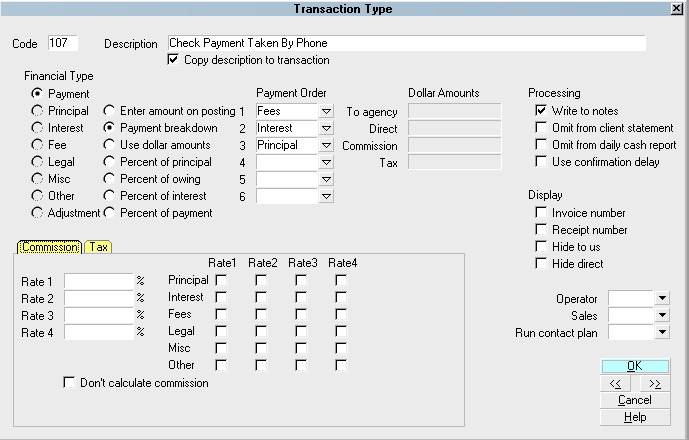
Transaction Code 107
This is a Financial Type "Payment" with a Description
of "Check Payment Taken by Phone".
107 - Payment

ACH Payment Reversal
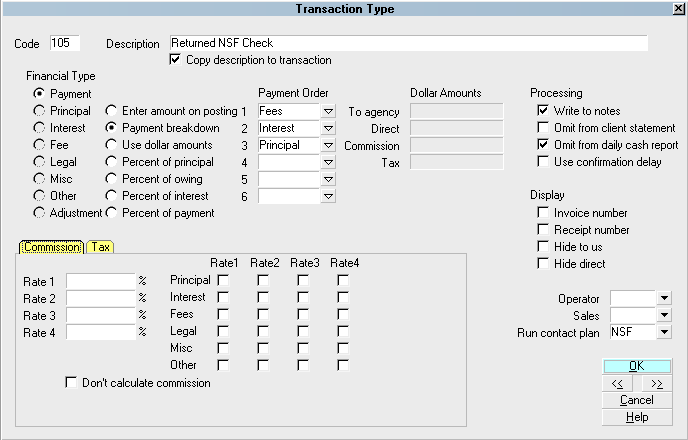
This is a Financial Type "Payment" used for reversing
ACH payments when fail to negotiate the bank for reasons
such as NSF/Stop/Hold/Account Closed etc. It has a
Description of "Returned NSF Check". This is the same
NSF code that would be used for non-ACH check reversals
as well.
Transaction Code 105
105 - Payment Reversal
It is not necessary to have an ACH ONLY check
reversal code.
Exception: If your office does use an
NSF Contact Plan that is launched
by the posting of an NSF reversal, AND you do not wish
that same strategy to be invoked to act upon ACH payers,
you may wish to set up and ACH Only NSF Transaction Type
that does NOT have the general NSF strategy initialized
by the posting with the code.
NSF Charge
If your agency charges debtors NSF fees (i.e. a flat amount $25
or $40 for every returned check), then you will want to include
this Transaction Type code in your ACH setup.
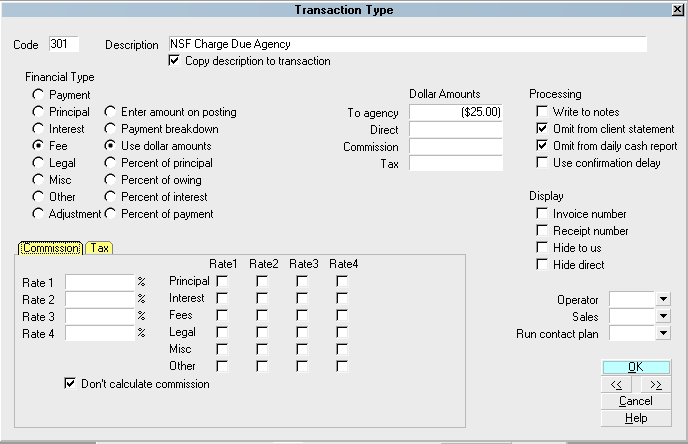
It is a Financial Type "Fee" which is preset with the flat amount
you will add to the debtor's balance in the event of an ACH payment
that has been reported to you for reversal by Billing Tree.
Transaction Code 301
301 - NSF Charge
ACH Convenience Fee
This is a Financial Type "Fee" with a Description of "ACH Convenience
Fee" used for posting the add-on cost you may be charging to debtors
when your process checks by phone.
Transaction Code 307
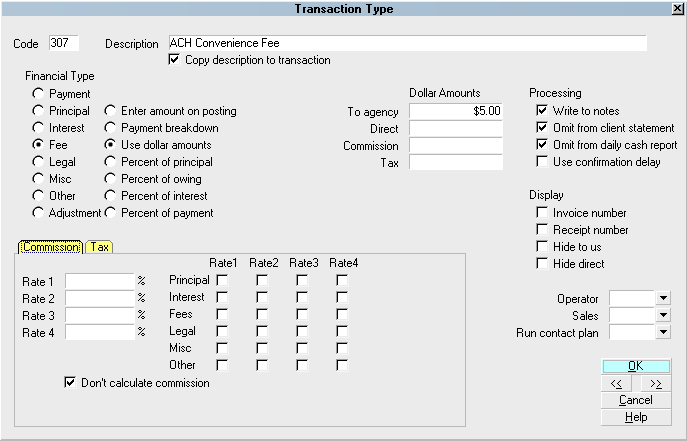
307 - Convenience Fee
ACH Convenience Fee Reversal
This is a Financial Type "Fee" used for reversing a convenience
fee when an ACH payment is reported back to your Billing Tree
as having failed to negotiate the bank. It has a Description
of "ACH Convenience Fee Reversal".
Transaction Code 305
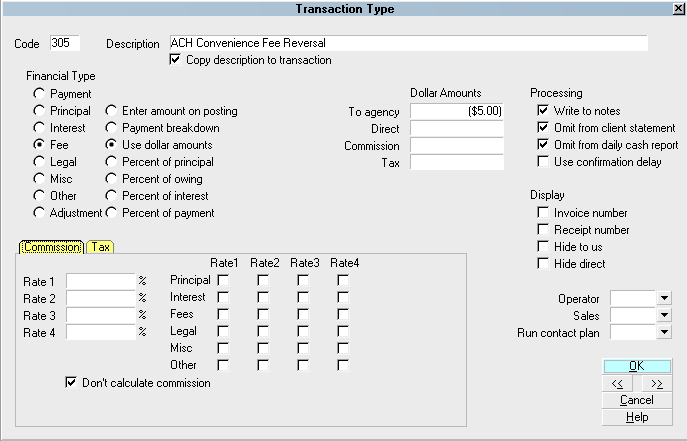
305 - Convenience Fee Reversal
See Also
- Billing Tree Topics
| 
Was this page helpful? Do you have any comments on this document? Can we make it better? If so how may we improve this page.
Please click this link to send us your comments: helpinfo@collect.org