Troubleshooting Installation
Following the installation instructions should result in a
successful installation of Collect! However, there are times
when the installation does not proceed as expected.
This topic addresses some of the issues you may
encounter.
Disk Space
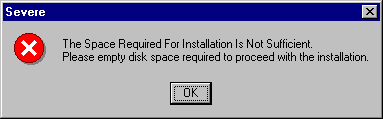
The full installation of Collect! needs about 300-350 MB of disk
space. If you do not have enough free space, the installation will
warn you of this and will not proceed.

Access To Server
If you are installing Collect! in a multi user environment, you
must have access to your network server so that you can
install Collect! on the server.
Admin Privileges
The CV11 Server must be started with ADMIN privileges.
If the rds.exe is not started with ADMIN privileges, it will
fail to launch and will display a message.
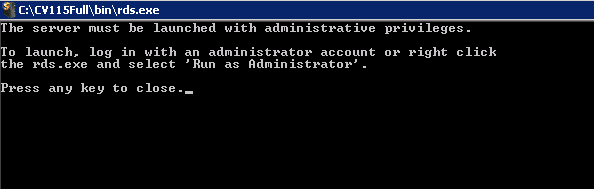
Please ensure that you have Administrative privileges on
the machine where you install Collect!.
Right To Create Files And Folders
Collect! needs full access to create program files, folders and
Desktop icons.
Path To Collect!
If you are not sure where you installed Collect! examine the
target properties of the shortcuts that were installed on your
Desktop during installation.
See Also
- Introduction to Installation
- Install Collect! For The First Time
- Install Collect! More Than Once
- About Collect!
| 
Was this page helpful? Do you have any comments on this document? Can we make it better? If so how may we improve this page.
Please click this link to send us your comments: helpinfo@collect.org