
Features/Client portal
Clients see their results without calling you.
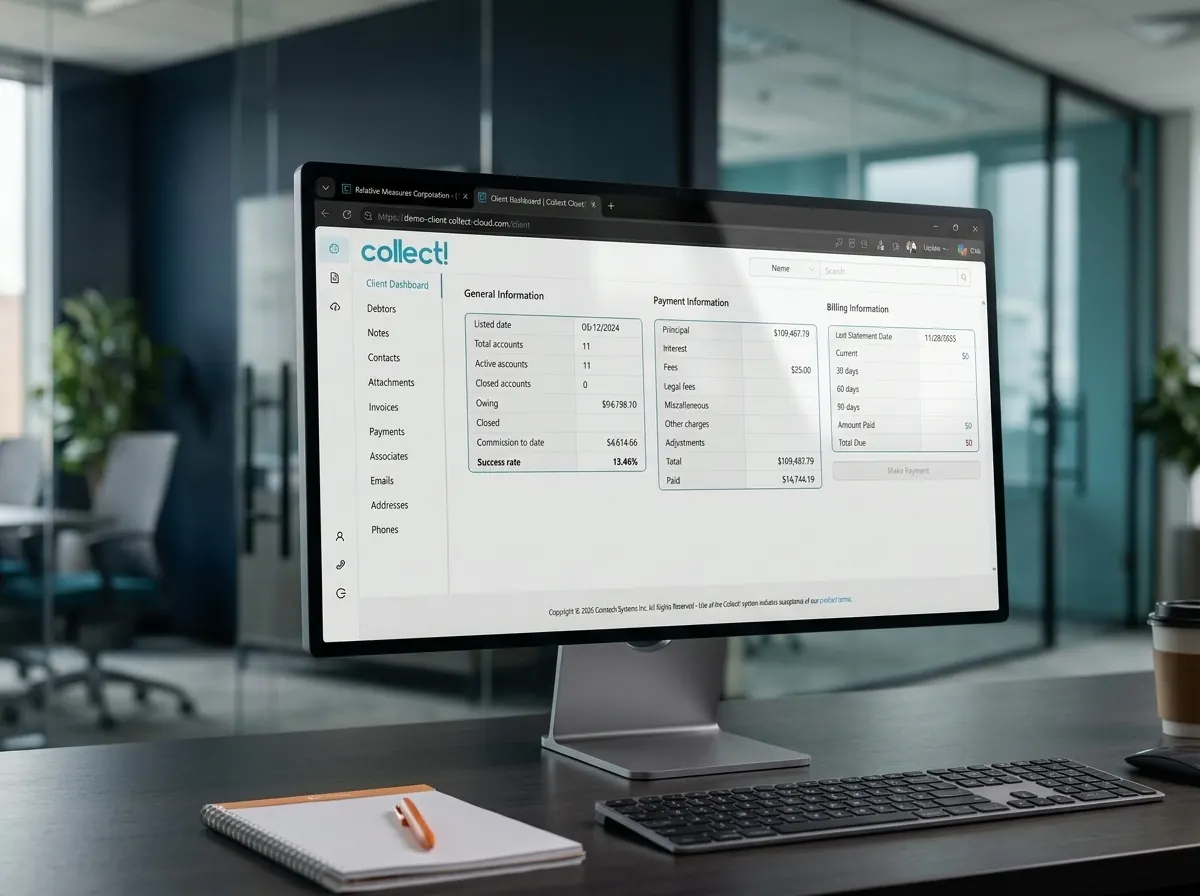
Each client logs in to a live view of their own accounts: what was placed, what's been collected and where every account stands.
Fewer status calls. Faster placements.
Clients call to ask where their money is?
Each client sees real-time balances, collections and recovery rate for their own accounts.
Placement files arrive by email in every format?
Clients upload placement and payment files straight into the portal.
Client reporting eats days every month?
Clients download their own reports and account data, on the fly or on a schedule.
How clients use it.
Give each client a login
Clients only ever see their own accounts.
They check results live
What was placed, what's been collected and the status of every account.
They send you new business
Placement and payment files are uploaded through the portal.
They pull their own reports
Reports and account data, downloaded whenever they need them.
What each client gets.
Live results
Real-time balances, collections and recovery rate for their own accounts.
Account status
Status and last activity on every account they placed with you.
File uploads
Placement and payment files, sent securely instead of by email.
Reports and data
A client report set, ready to download on the fly or on a schedule.
Payments and account updates
Clients post a payment a debtor made to them directly, and add a new address, email or phone number to the account.
Their accounts only
Role-based access keeps each client inside their own portfolio.
Stop building the same client report every month.
When clients can answer their own questions, your team gets its month-end back and your clients get answers the same day.
- A client report set clients run themselves
- Reports on the fly or on a schedule
- Direct payments and new contact details entered by the client, not re-keyed by your team
- A selling point when you pitch new clients
Good to knowThe client portal comes with every edition. No partner account is needed. See what's included
Client portal questions, answered.
How does the Report Generator Utility Work?
The Report Generator Utility lets you select, filter, group and order data on the fly. The Report Generator offers multiple table or graph output formats, including email. You can also store reports in your Collect! report library for re-use. If you want to learn more about query generation, you can click on a side screen to see the queries your choices are generating behind the scene. The Report Generator is compatible with Collect! Version 12 and up, and runs on Collect!'s free Client Web Access Module.
How can I access the Report Generator?
The Report Generator is a Collect! Version 12 compatible web-based utility accessible through Collect!'s free Client Access Portal (aka Web Host). If you do not have Web Host installed yet, just follow the instructions in the Help document to install Web Host, and you will automatically have access to the Report Generator. If you want to keep your current version of Web Host because you have customized it, then contact Support to have the Report Generator installed in your existing Web Host. This allows you to retain your Web Host customizations and make use of the Report Generator.
Can I email statements to clients?
Yes, Collect! can email statements. All the information in the previous question on sending invoices applies to emailing invoices also, with the caveat that they must be in HTML format. Since there is a current trend towards sending emails rather than paper, we are constantly adding HTML items to our default report set.
Works even better with these.
Consumer portal
Consumers pay, set up a plan or settle online, any hour.
Explore consumer portalLetters & reports
150+ ready templates, including Model Validation Notices, batched and logged.
Explore letters & reportsAccount management
Client hierarchies, linked debtors, legal tracking and trust accounting.
Explore account management