Customize Splash Screen
The Collect! Splash Screen is the first screen you see when you
open the Collect! program.
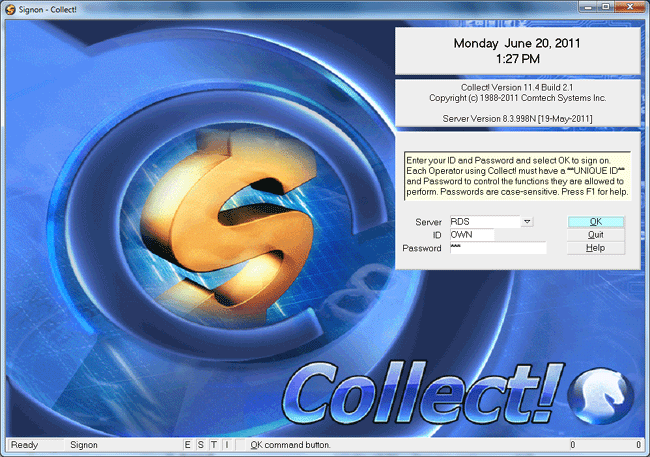
Collect! Splash Screen
Enter a valid User ID and Password to sign into Collect!. New
users can simply sign on as OWN with
Password own to explore all the features
and functions.
After you have entered your ID and Password, select the
OK button to log into the CV11 Server. You can then open
the database of your choice from the Welcome To Collect!
screen.
 Any time you select the LOGOUT button from the
Welcome To Collect! screen, you will be taken back to the
Collect! Splash Screen where you can log in with a different
Operator ID or exit the Collect! program.
Any time you select the LOGOUT button from the
Welcome To Collect! screen, you will be taken back to the
Collect! Splash Screen where you can log in with a different
Operator ID or exit the Collect! program.
Customize Splash Screen
You can place your own splash.bmp
or splash.png in the CV11\bin folder to
override the default Collect! splash screen. The horse logo
overlay will not be rendered if you successfully load
the splash.bmp or splash.png
file. The "Collect!" logo in the bottom right will always be rendered.
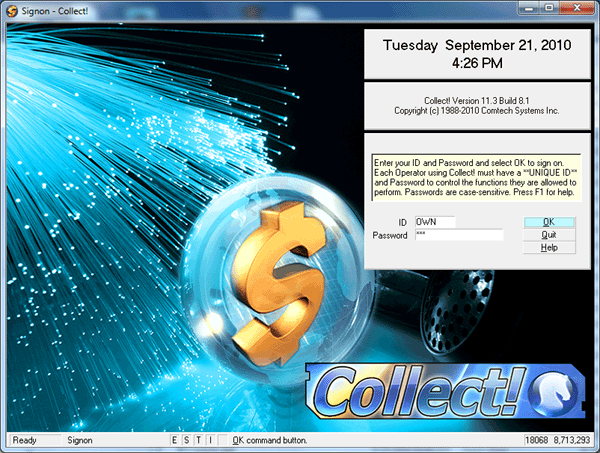
Customized Collect! Splash Screen
 If you use a bitmap for your splash screen, it
should measure 786 by 568 in pixels to render perfectly.
If you use a bitmap for your splash screen, it
should measure 786 by 568 in pixels to render perfectly.

Select Server
The splash screen displays a server pick list. The default
value is 'RDS' and this should not be changed unless you
are an Administrator. This option is for maintenance
performance and for multiple server situations.
Server Version
The RDM Server Version and Date are displayed in the
Collect! splash screen under the Copyrights and also on the
Help About screen under the O/S. This will assist in
troubleshooting and upgrading when Birdstep RDM patches
are applied to our Collect! distribution.
See Also
- How To Start Using Collect!
| 
Was this page helpful? Do you have any comments on this document? Can we make it better? If so how may we improve this page.
Please click this link to send us your comments: helpinfo@collect.org